1.7 KiB
1.7 KiB
HIVE
Use HiveServer2

Datasource Parameters
| Datasource | Description |
|---|---|
| Datasource | Select HIVE. |
| Datasource name | Enter the name of the DataSource. |
| Description | Enter a description of the DataSource. |
| IP/Host Name | Enter the HIVE service IP. |
| Port | Enter the HIVE service port. |
| Username | Set the username for HIVE connection. |
| Password | Set the password for HIVE connection. |
| Database name | Enter the database name of the HIVE connection. |
| Jdbc connection parameters | Parameter settings for HIVE connection, in JSON format. |
NOTICE: If you wish to execute multiple HIVE SQL in the same session, you could set
support.hive.oneSession = trueincommon.properties. It is helpful when you try to set env variables before running HIVE SQL. Default value ofsupport.hive.oneSessionisfalseand multi-SQLs run in different sessions.
Use HiveServer2 HA ZooKeeper
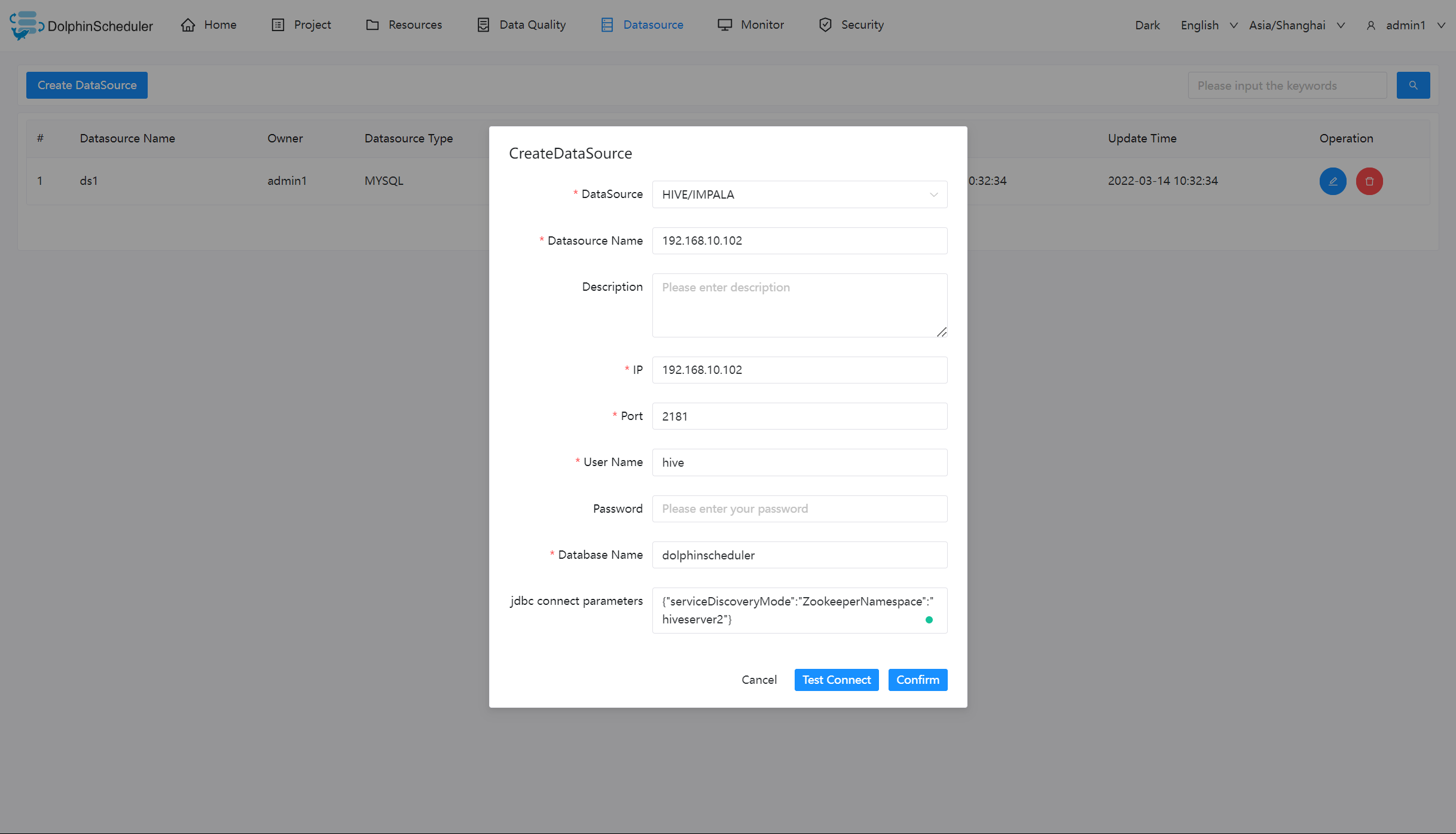
NOTICE: If Kerberos is disabled, ensure the parameter hadoop.security.authentication.startup.state is false, and parameter java.security.krb5.conf.path value sets null.
If Kerberos is enabled, needs to set the following parameters in common.properties:
# whether to startup kerberos
hadoop.security.authentication.startup.state=true

# java.security.krb5.conf path
java.security.krb5.conf.path=/opt/krb5.conf

# login user from keytab username
login.user.keytab.username=hdfs-mycluster@ESZ.COM

# login user from keytab path
login.user.keytab.path=/opt/hdfs.headless.keytab
Native Supported
Yes, could use this datasource by default.